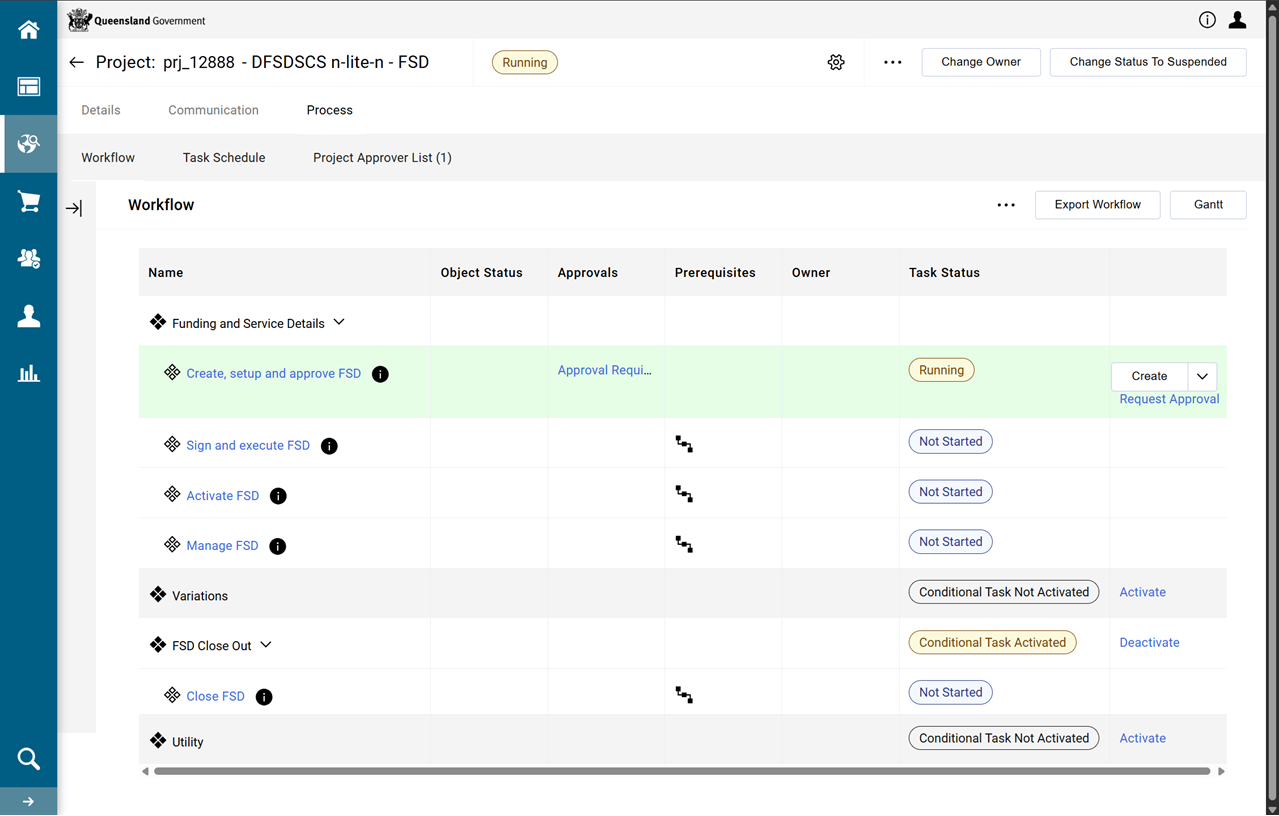
Create an FSD Project
Warning Do not use the browser's back button or refresh button while using P2i.
In P2i this role is undertaken by a P2i Senior User or a P2i Regional Manager. (Refer to P2i Roles for more information on these roles)
-
From the Main Dashboard, in the QUICK LINKS portlet, click New Project.
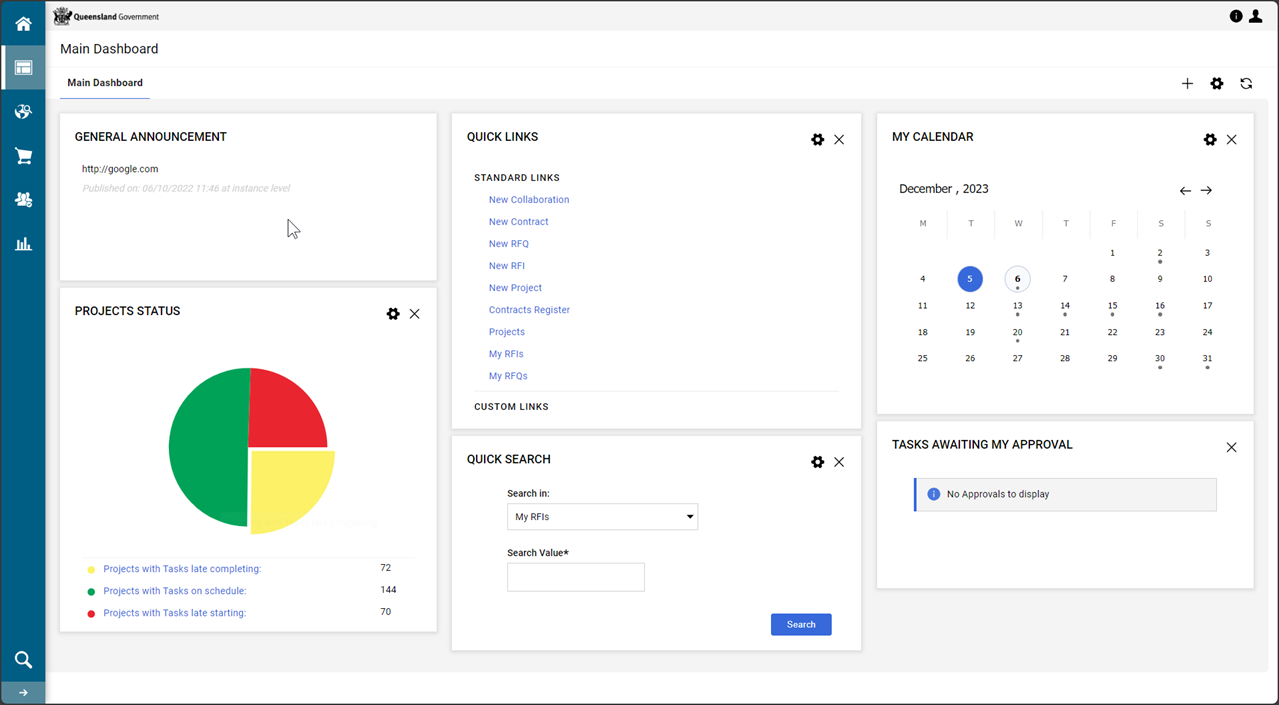
-
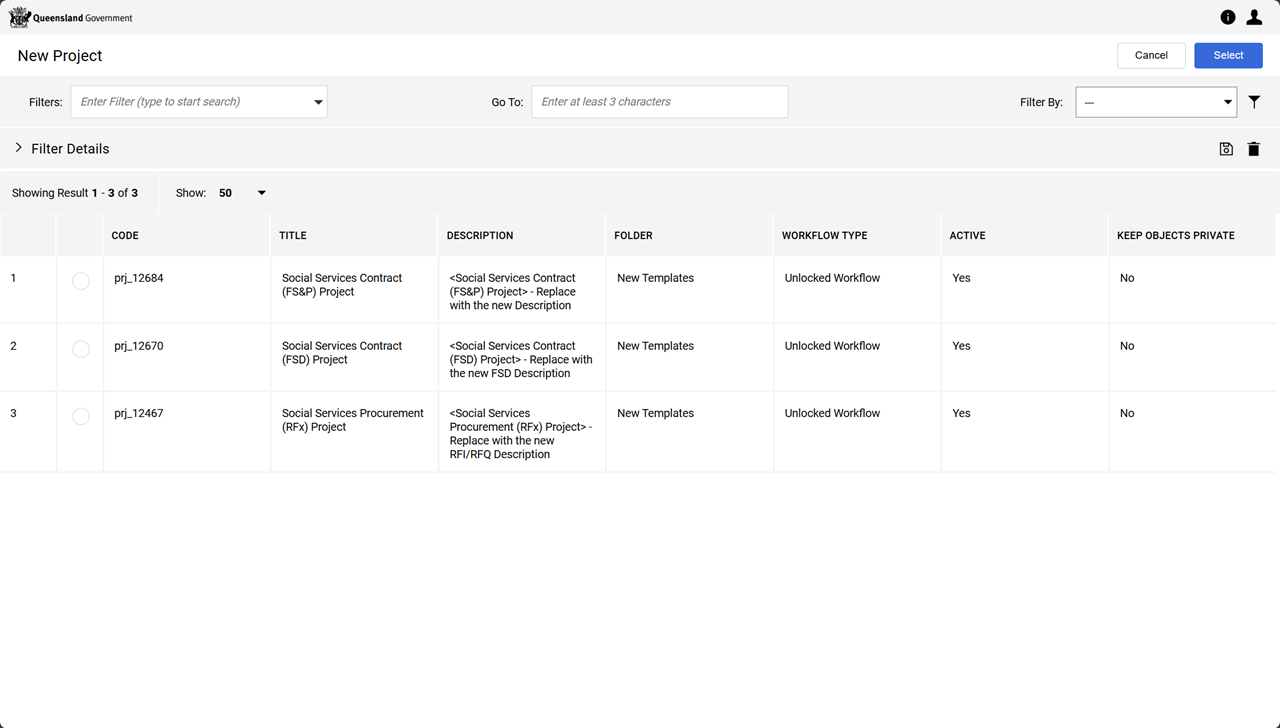
Click Create From Project Template

-
Select the Social Services Contract (FSD) Project template from the list and click Select.
Note This template provides access to the workflows applicable to the FSD project.
-
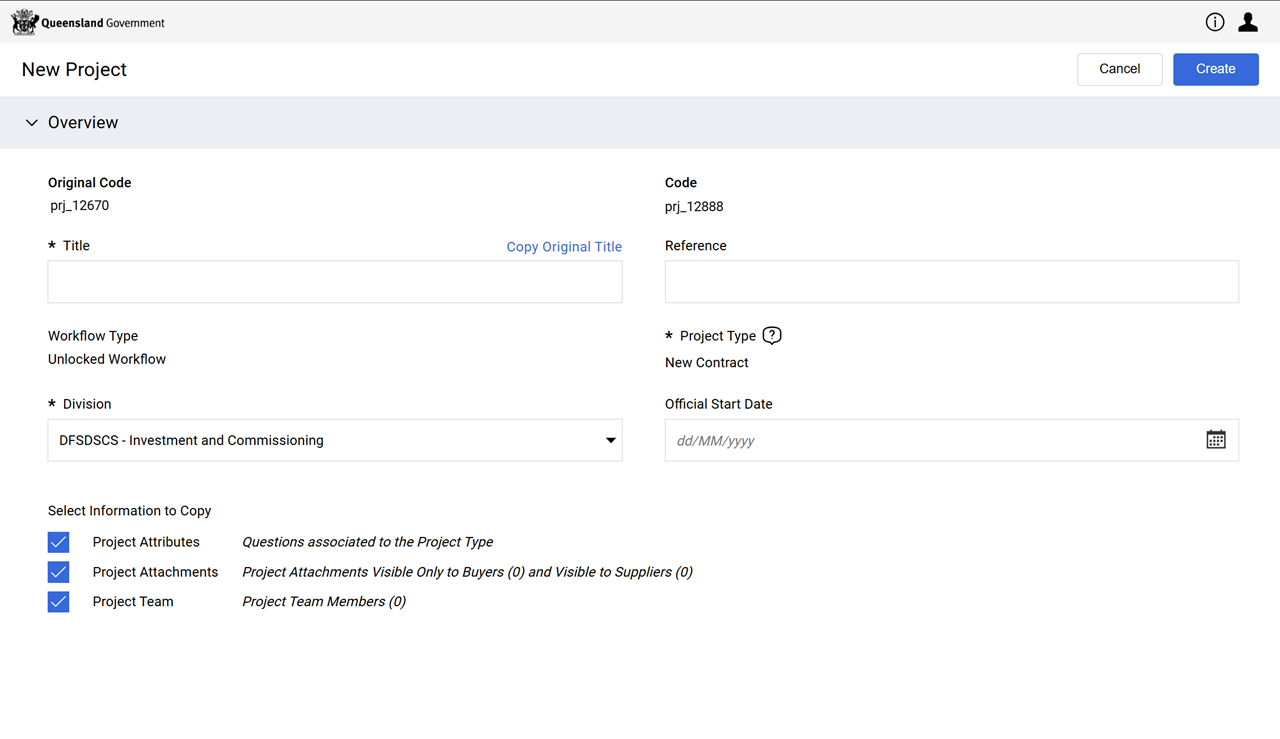
Fill in the fields on this New Project form.
-
Enter a Title.
Note Follow departmental rules for naming your project.
Consistent naming of the Title and Reference fields allows for easier searching later and improves reporting.
Refer to P2i Naming Conventions.
-
Enter a Reference.
-
Select the appropriate option in the Division dropdown list.
-
Leave the Select Information to Copy checkboxes as checked.
-
-
Click Create.
-
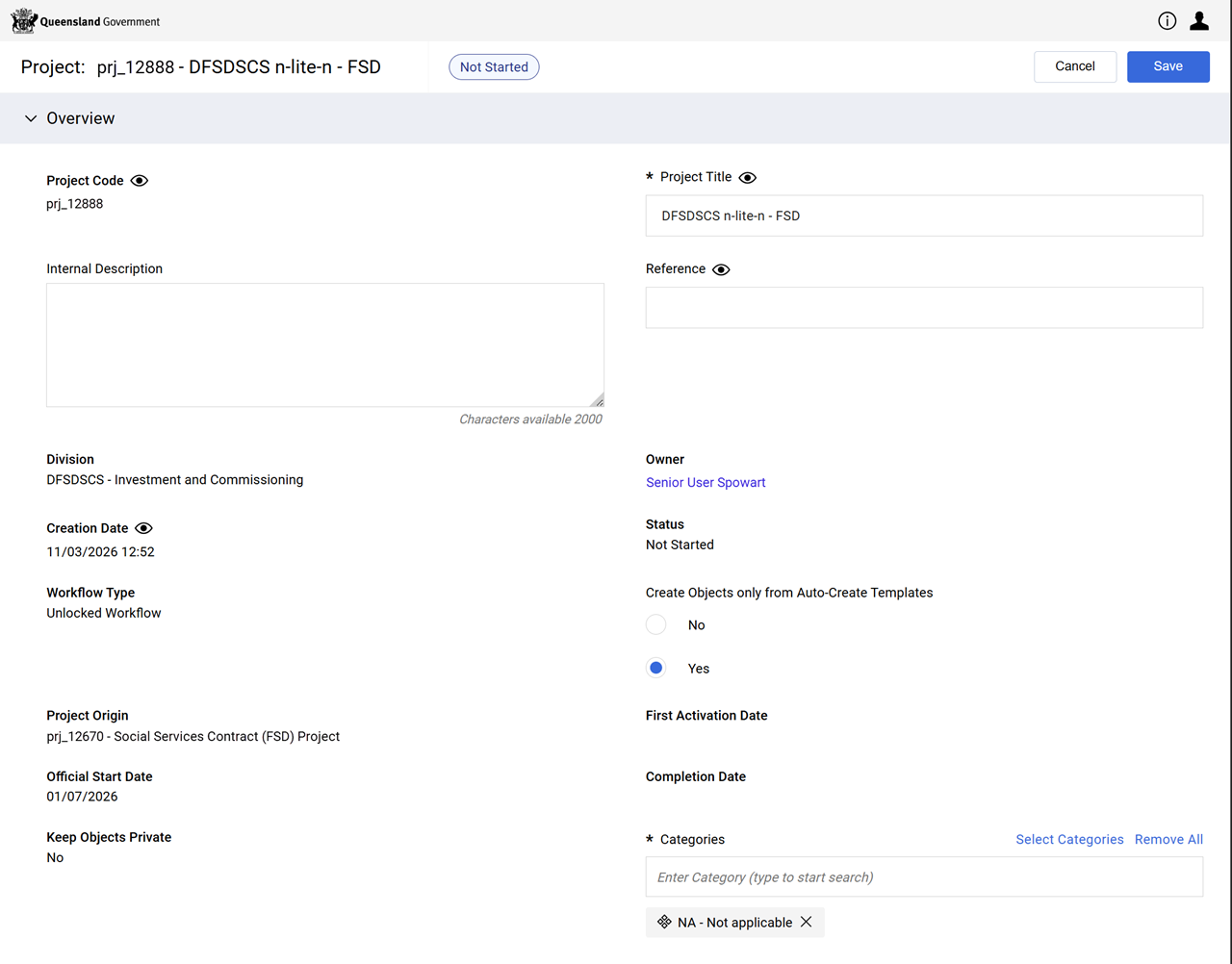
Fill in the fields on the Project: form.
-
Enter an Internal Description.
Note Follow departmental rules for populating your project with an internal description.
-
Leave Create Objects Only from Auto-Create Templates set to Yes.
-
Leave Categories as NA - Not applicable.
-
Click Save.
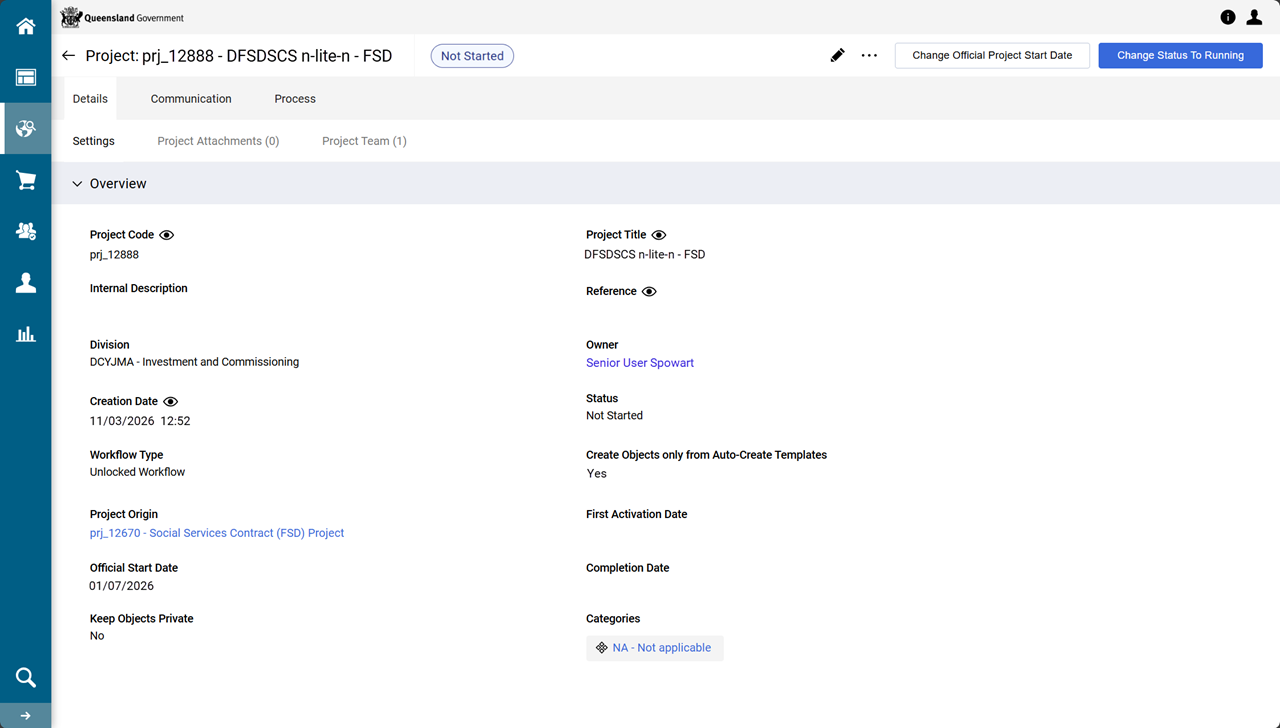
The project is now created.
-
Click Change Status To Running
-
Click Start Project And Tasks
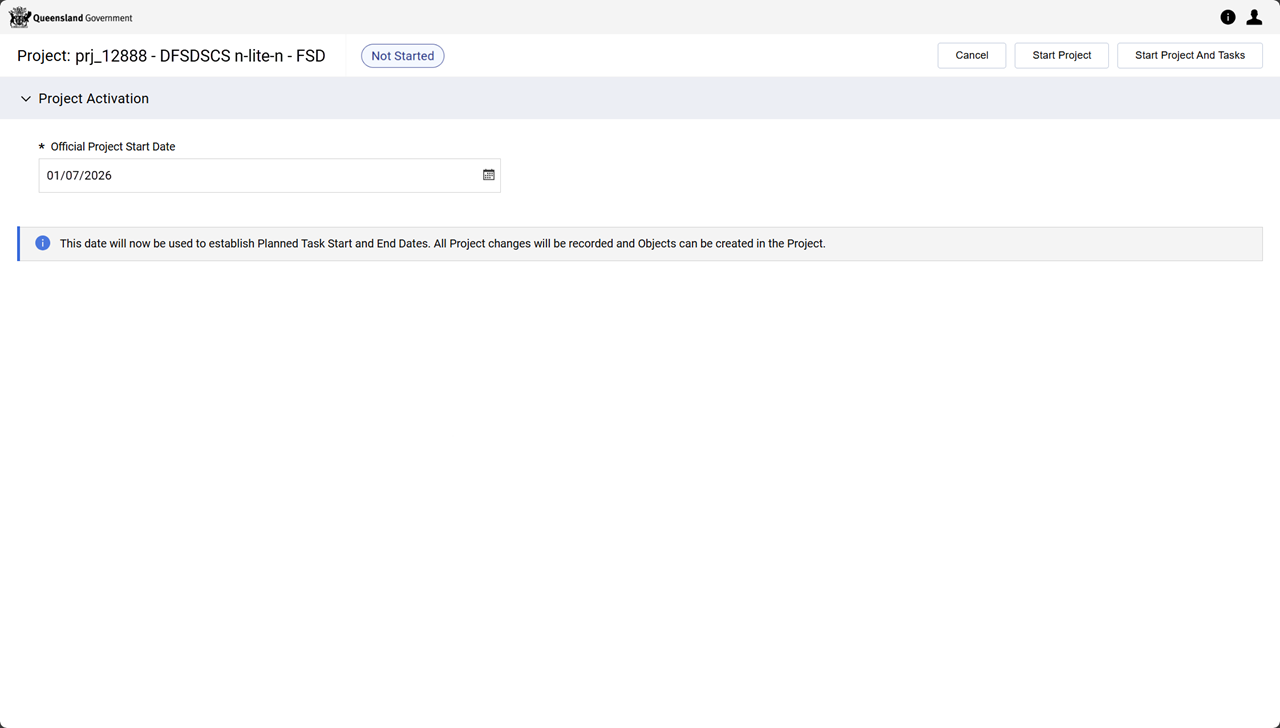
The project's status is Running and the workflow is initialised.
Note Workflow task: Create, setup and approve FSD is ready for the creation of the FSD contract.